
From 2D to 3D: Reimagining Presentation Graphics in Archicad
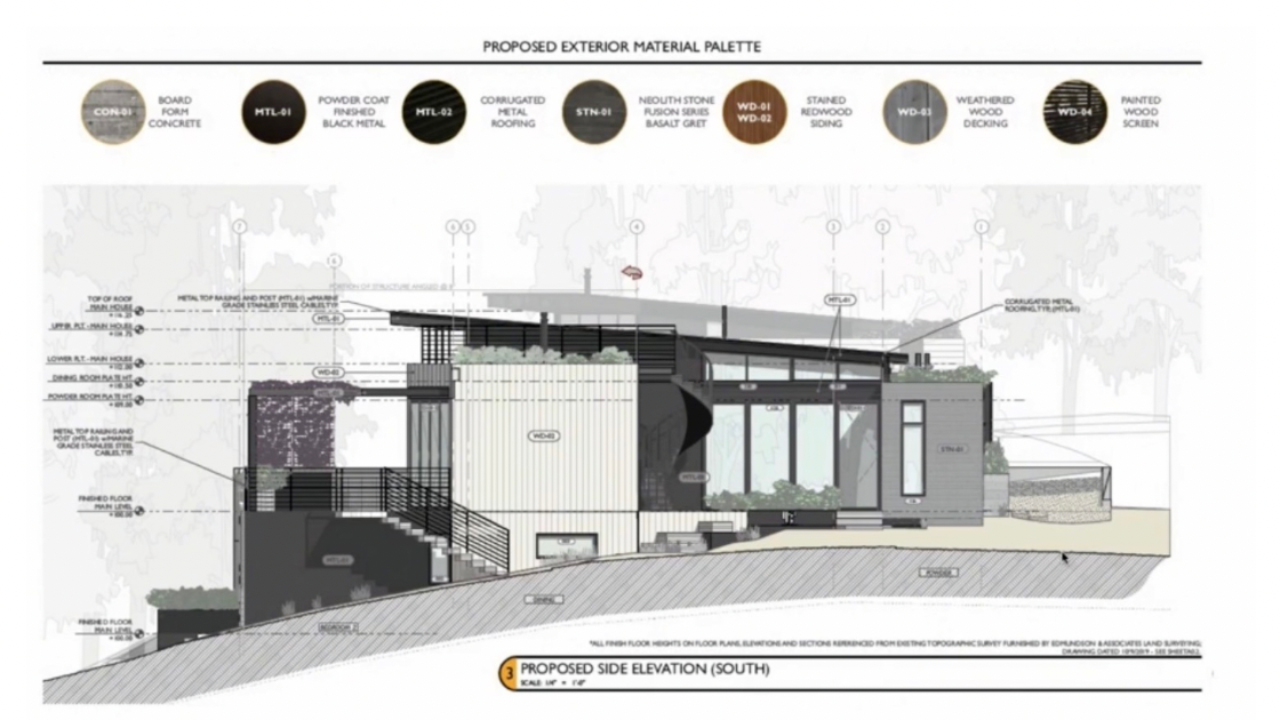
During our December Archicad User Group session, Tom Simmons, BIM Consultant with Archivista, explored how presentation graphics can be carried seamlessly from early schematic design through construction documentation. Using real project examples from Fuse Architecture, he demonstrated how Archicad’s integrated modeling and layout tools support both visually compelling presentations and technically precise drawings—without duplicating work.
This session highlighted how intentional graphic workflows allow architects to carry design clarity throughout the entire project lifecycle.
Why Presentation Graphics Matter at Every Stage
Fuse Architecture challenged the idea that presentation drawings and construction documents should be treated as separate deliverables. Instead, their drawings demonstrate how graphic intent in Archicad—through color, line weight, fills, and live 3D views—can be maintained consistently from concept through CDs.
By embedding presentation quality directly into the model, teams can reduce rework, save time, and create documents that communicate clearly to both clients and builders.
Project Spotlight: Canopy House
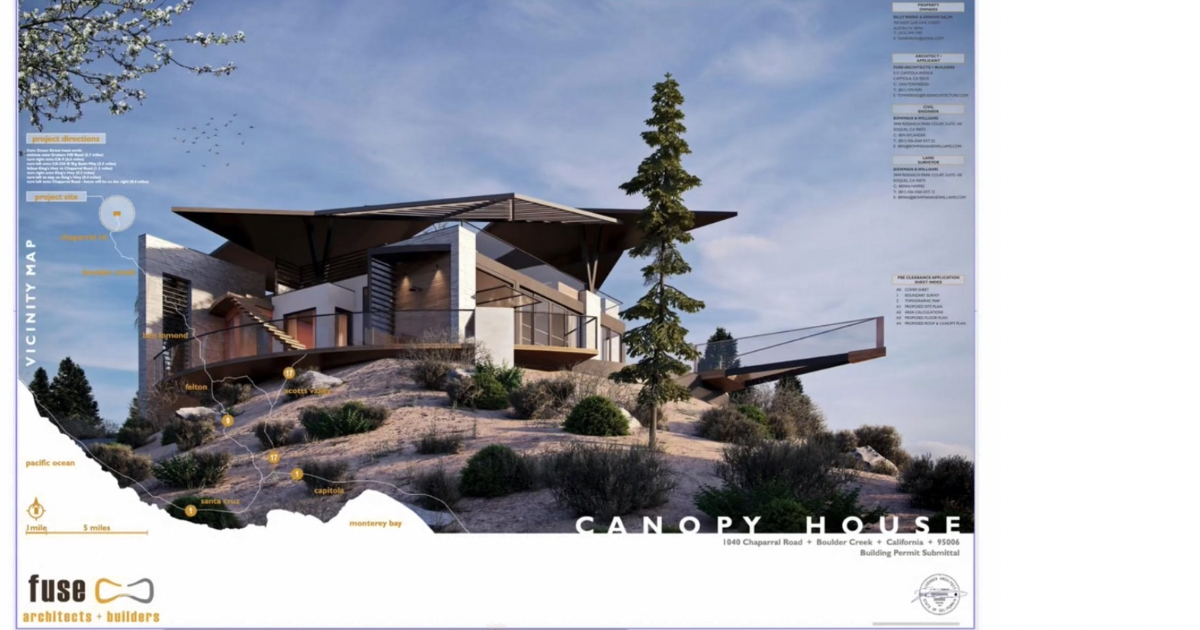 The Canopy House project by Fuse Architecture served as the primary case study throughout the session. From the construction document cover to site analysis and detailed layouts, the project demonstrated how Archicad tools can clearly communicate context, materiality, and design intent.
Key takeaways included how to:
-
Use maps, terrain imagery, and color fills directly within Archicad layouts
-
Apply splines, fills, and color backgrounds for expressive yet printable graphics
-
Design documents that remain legible and effective in both color and grayscale
Building Consistency with Color Palettes & Graphic Systems
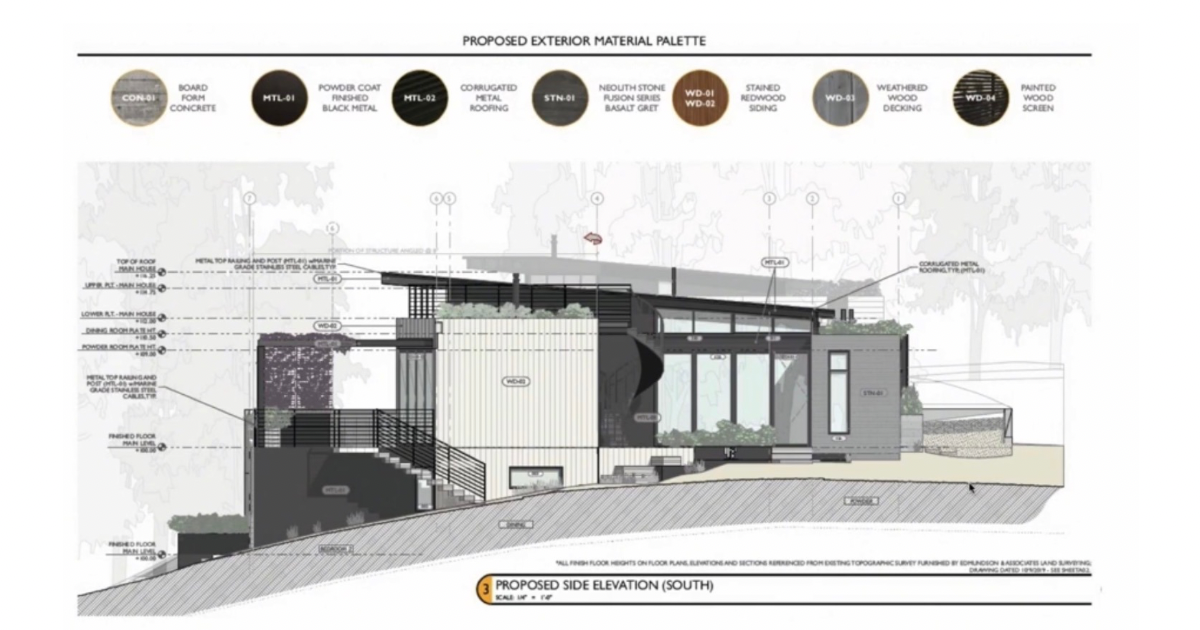 Here you see consistent color palettes and graphic systems across exterior materials, landscaping, and interior finishes. These systems help unify drawings visually and make complex information easier to read.
The session also demonstrated how to:
-
Overlay images for site context and landscaping
-
Create interior finish graphics using Archicad fills and symbols
-
Place external drawings into layouts while maintaining clean framing and hierarchy
Live 3D Views with Print-Quality Control
One of the most impactful updates discussed was the ability to control live 3D view resolution directly within Archicad layouts. Newer versions of Archicad allow users to set views anywhere from 72 DPI up to 300–700 DPI, making them suitable for high-quality printed presentations.
This enhancement allows teams to:
-
Use live 3D views confidently in presentations
-
Reduce reliance on exported images
-
Maintain consistency between the model and documentation
Interior Finish Books & Integrated Documentation
Also covered was how Fuse Architecture creates interior finish books using Archicad layouts, combining live plans, elevations, renderings, sketches, and client correspondence into cohesive project documents.
They compared Archicad’s layout system to traditional design tools, highlighting how teams can stay in one environment while still producing polished, presentation-ready deliverables.
Advanced Detailing: Walls, Roofs & Materials
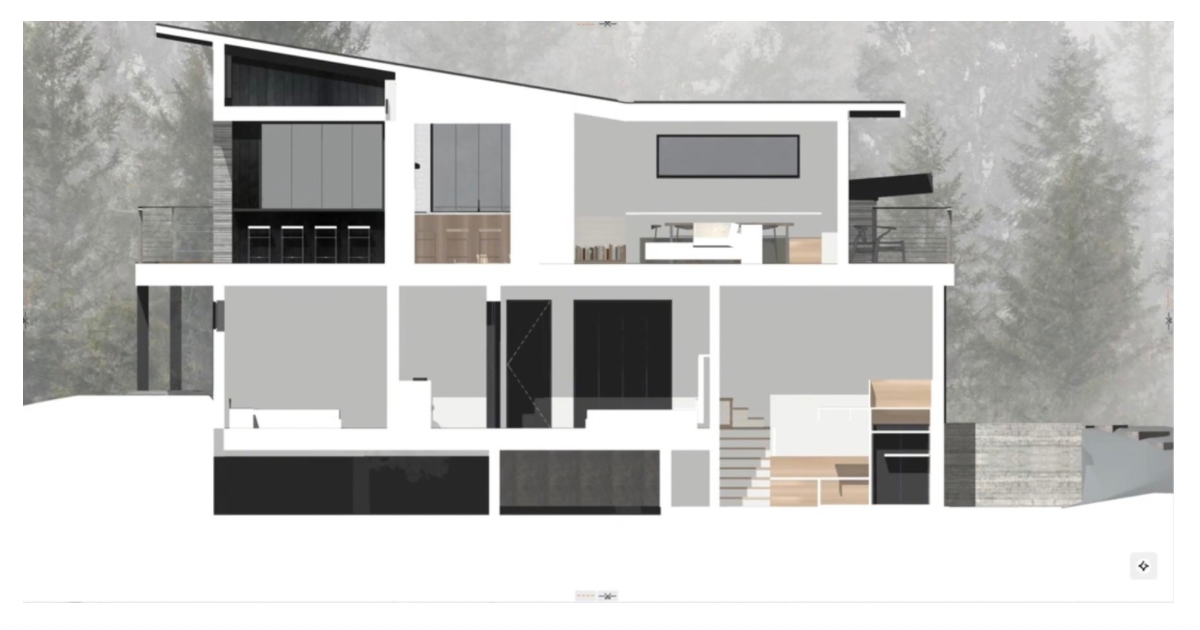 The session went deeper into construction detailing, covering:
-
Custom wall and roof assemblies using Archicad composites
-
Complex Profiles and beams for detailed sections
-
Testing colors to ensure print quality and long-term legibility
Additional best practices included:
-
Storing images and PDFs in BIMcloud to prevent broken links
-
Managing file sizes through external content workflows
-
Creating custom materials and seamless textures using AI-assisted tools
Scaling, Accuracy & Best Practices
A key technical discussion focused on maintaining accurate scale—especially when working with axonometric cutaways and 3D sections in Archicad. Using real sections or elevations as references ensures drawings remain visually strong while remaining construction-ready.
🎥 Want the Full Experience? Watch the Recording
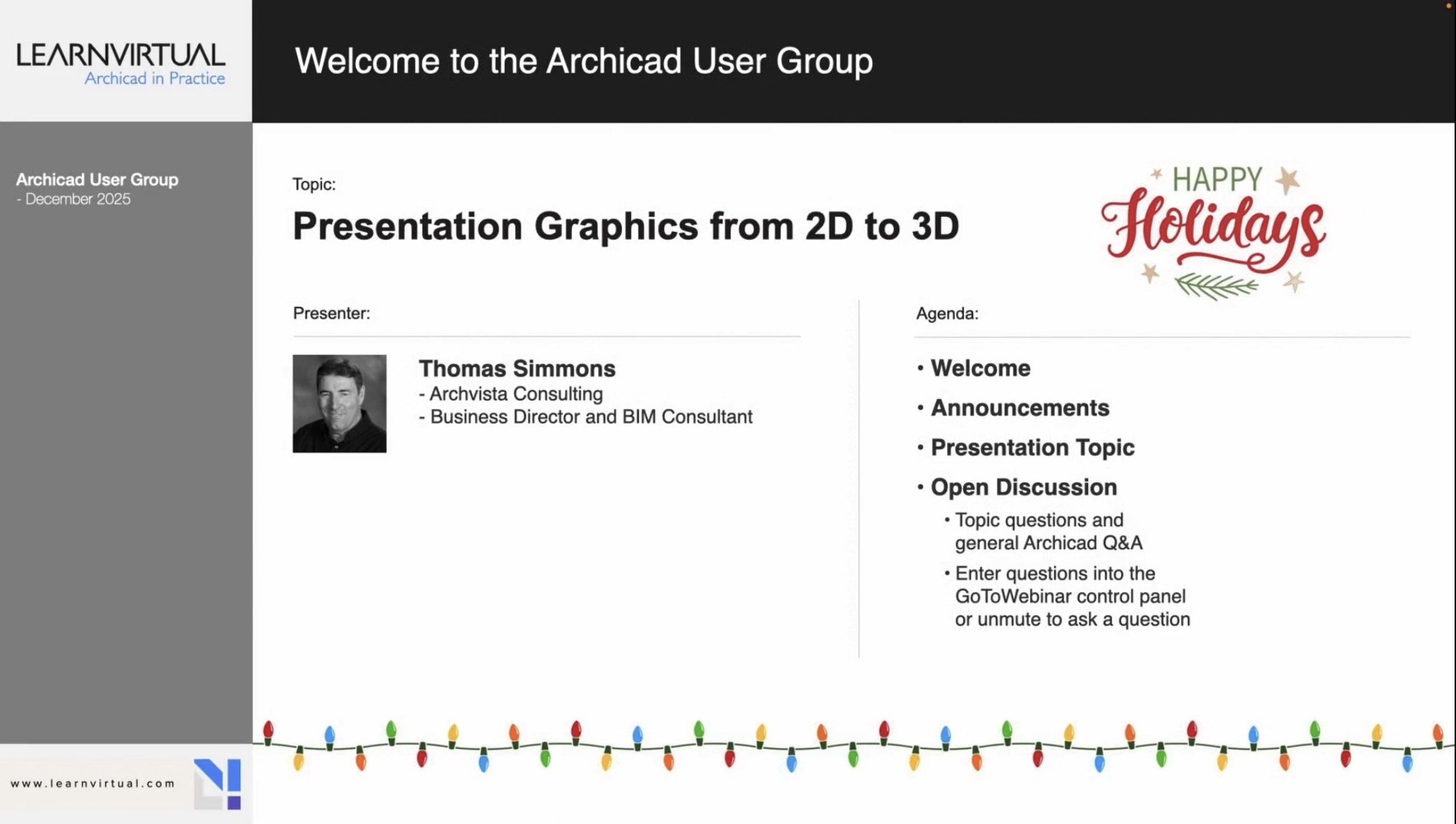
This recap only scratches the surface. The full recording includes live demonstrations, real project workflows, and audience Q&A that bring these techniques to life.
👉 Watch the full Archicad User Group session on LearnVirtual
To see demonstrations, examples, and full explanations, join the LearnVirtual community or log in to your LearnVirtual account. User Group recordings are available to User Group Plus, Basic, and Premium LearnVirtual members.
If you would like to learn more we invite you to join Learnvirtual to access OnDemand lessons, In-Practice presentations and LIVE weekly lessons.
Stay connected with news and updates!
Join our mailing list to receive the latest news and updates from our team.
Don't worry, your information will not be shared.
We hate SPAM. We will never sell your information, for any reason.
